The M1 Pro MacBook Pro in 2026: A Long-Term Linux User's Perspective
March 2026
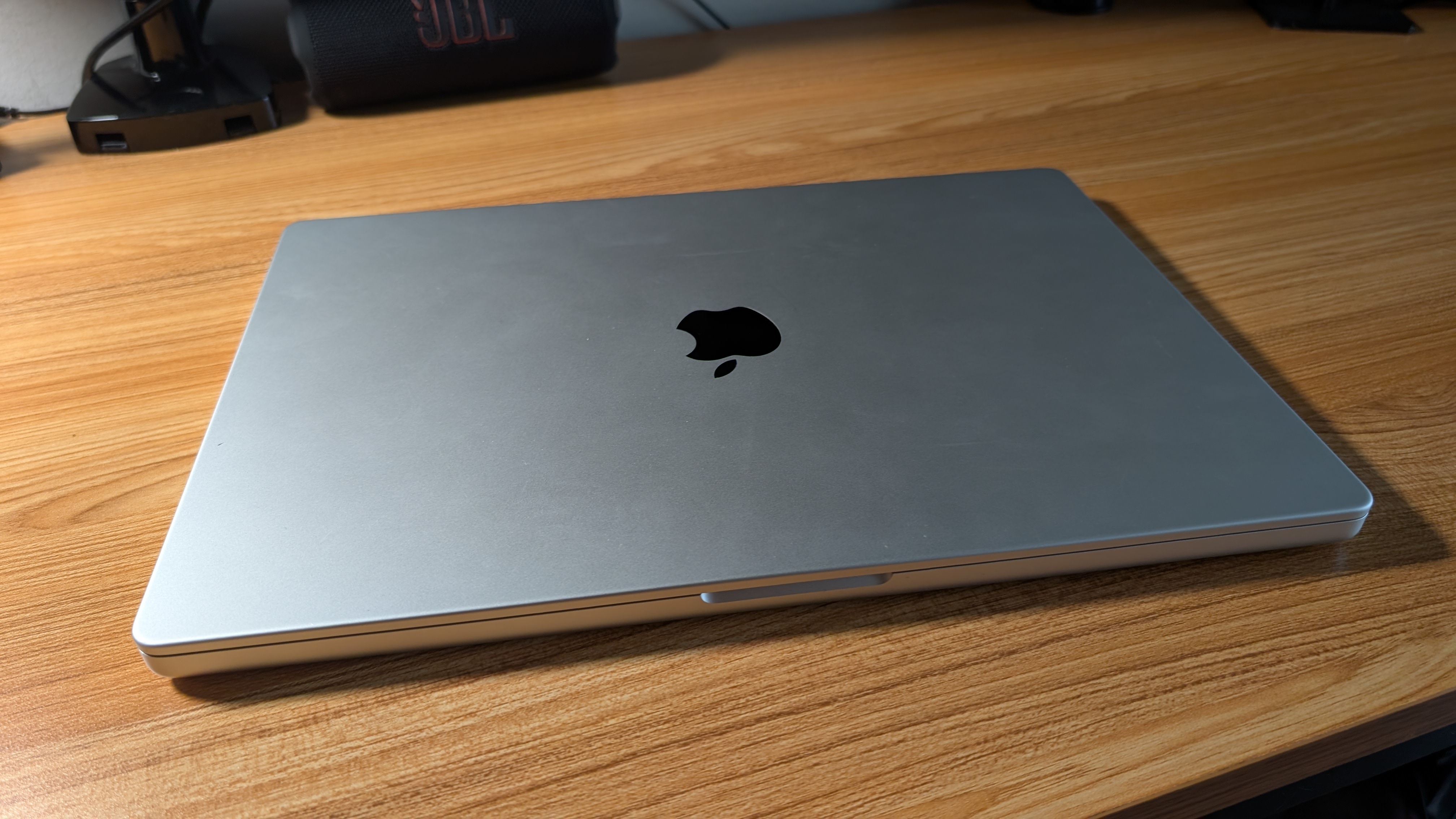
My journey back to the Mac ecosystem started with an upgrade—just not mine. My brother recently moved to an M4 MacBook Pro to handle local LLM workloads, leaving his M1 Pro MacBook Pro without a home. He handed it off to me, marking my first serious encounter with Apple hardware since my 2014 13-inch Intel dual-core model.
For the last decade, I haven't really been a "Mac user." My daily drivers have been Linux machines, with Windows for gaming. However, I thought it would be a compelling experiment to make this 16-inch beast my primary device for everything outside of gaming. Here is how the transition is going, broken down by the hardware that houses the experience and the software that runs it.
Hardware: The Gold Standard?
Build Quality
Apple remains the industry leader in making laptops that feel like premium objects. The chassis is heavy, sturdy, and undeniably high-end. That said, my past experience holds true: the bead-blasted aluminum surface picks up small nicks and scratches easier than you'd expect for "pro" gear. However, the "one-finger open" remains the ultimate litmus test for engineering attention to detail. It's a convenience that adds to a cumulative sense of quality.
Screen
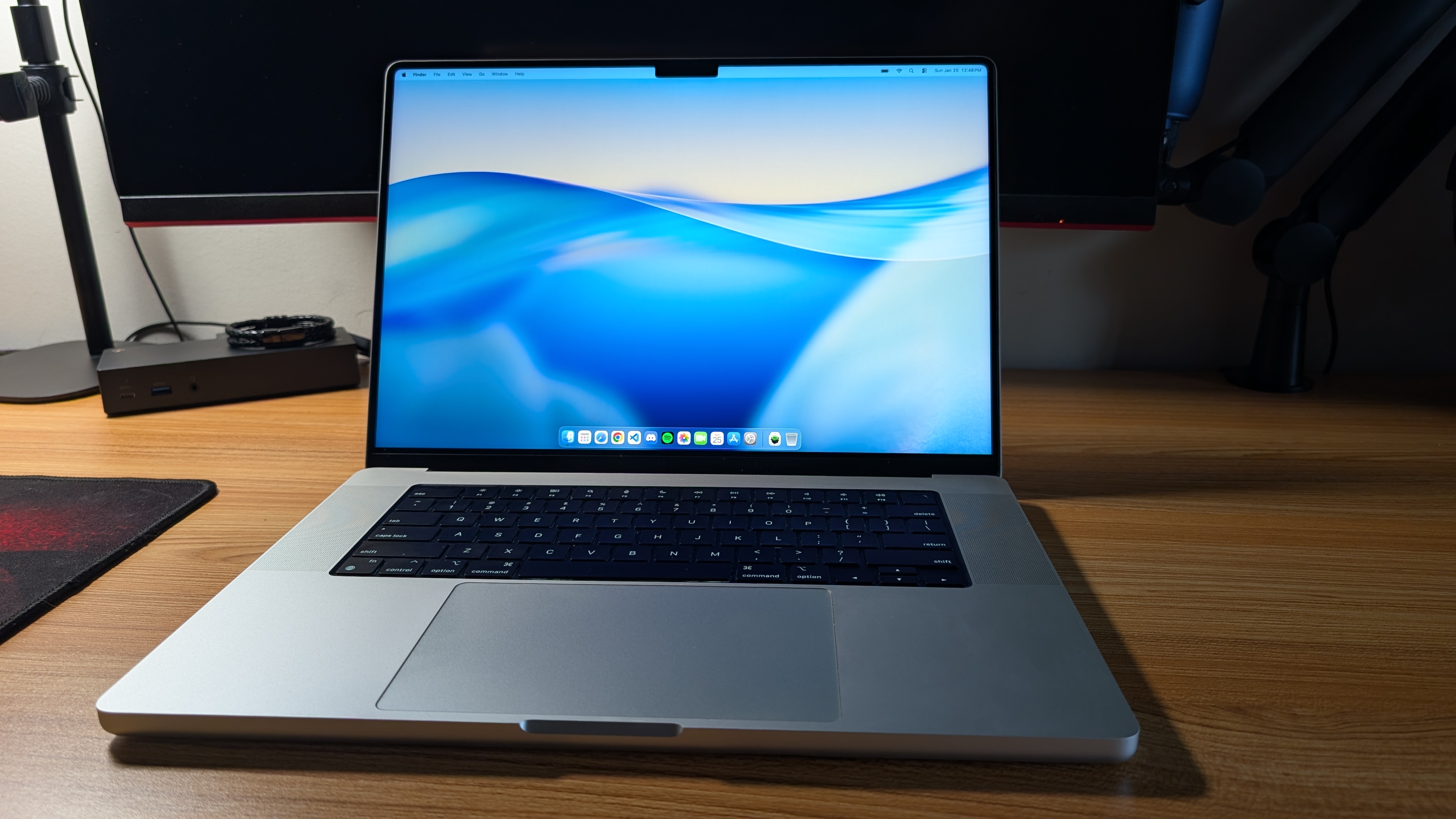
MacBook displays are legendary, and even as this model ages, the 16-inch panel is stunning. It is bright, color-accurate, and expansive. I frequently use a ThinkPad X1 Carbon (6th Gen) with a 2K screen and 100% sRGB coverage, and while that is a fantastic panel, the MacBook compares favorably while offering significantly more screen real estate. Whether I'm browsing high-res photos or catching up on YouTube, the visual fidelity is excellent.
Then, there is the notch. I'll admit I don't notice it constantly, but when I do, I find it distracting. It feels like a blemish on an otherwise flawless canvas—a compromise I'd love to see Apple eventually move past.
Keyboard
I missed the "butterfly keyboard" era of disaster, so I'm coming at this with fresh fingers. This keyboard is good, but it isn't my favorite. As a long-time ThinkPad devotee (moving between the X1 Carbon and various T-series models), I still prefer the tactile response of Lenovo's hardware. Even the T14 I recently received for work feels superior to me.
Despite this unit having some miles on it, the keys remain remarkably "clicky." The travel is acceptable, but I still find myself preferring the worn-in feel of my old X1 Carbon or even my wife's HP Elitebook. However, compared to the mushy keys on my Acer gaming laptops, typing on the MacBook is an absolute dream.
Speakers
Simply put: these are the best speakers I have ever heard on a laptop. Apple talks a big game about four force-cancelling woofers and two high-performance tweeters with spatial audio, and for once, the marketing matches the reality. There is actual impact to the bass and a fullness to the sound that makes other laptops sound like tin cans.
The irony? I rarely use them. My office is shared with my wife, and my evening use usually happens while she is sleeping or watching TV. Whether at home or in a coffee shop, I am almost always in headphones. It's nice to know the power is there, but for my workflow, it's a luxury I rarely tap into.
Connectivity & I/O
It is refreshing to plug in a pair of wired headphones without hunting for a dongle. In fact, the M1 Pro marked a return to sanity for Apple's I/O. With three Thunderbolt 4 ports, MagSafe, a headphone jack, and a full-size SD card reader, I have plenty of options.
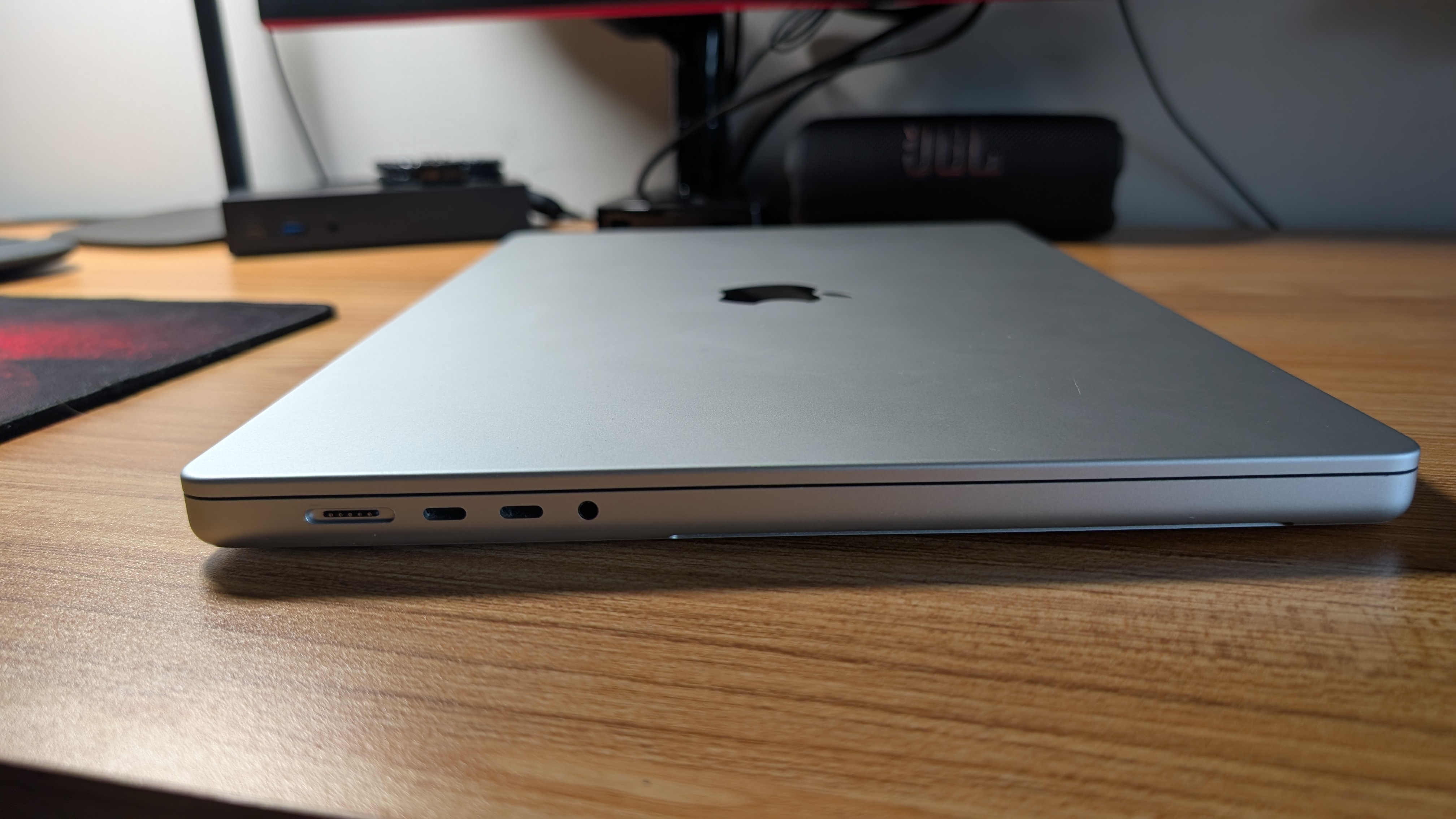
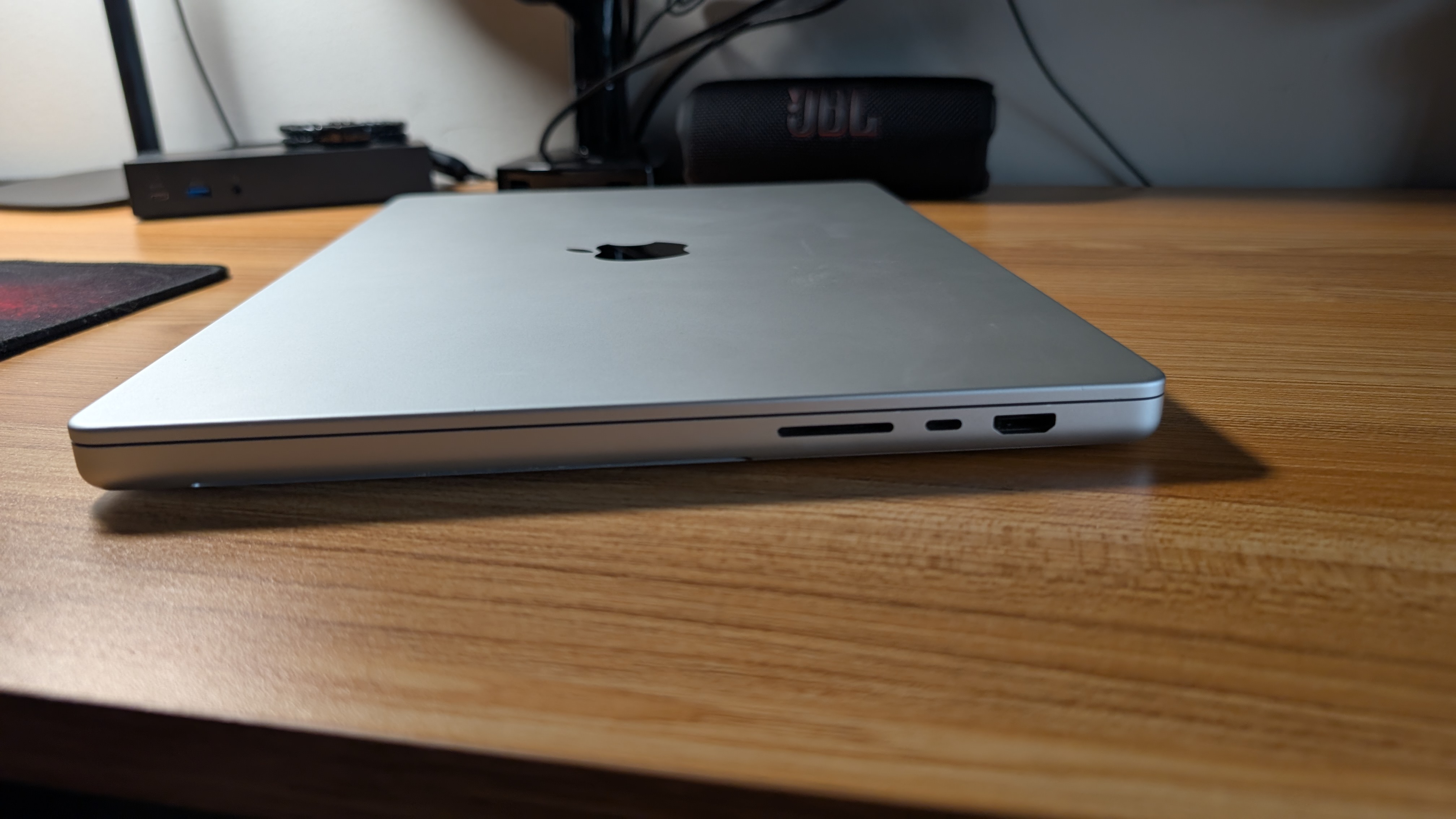
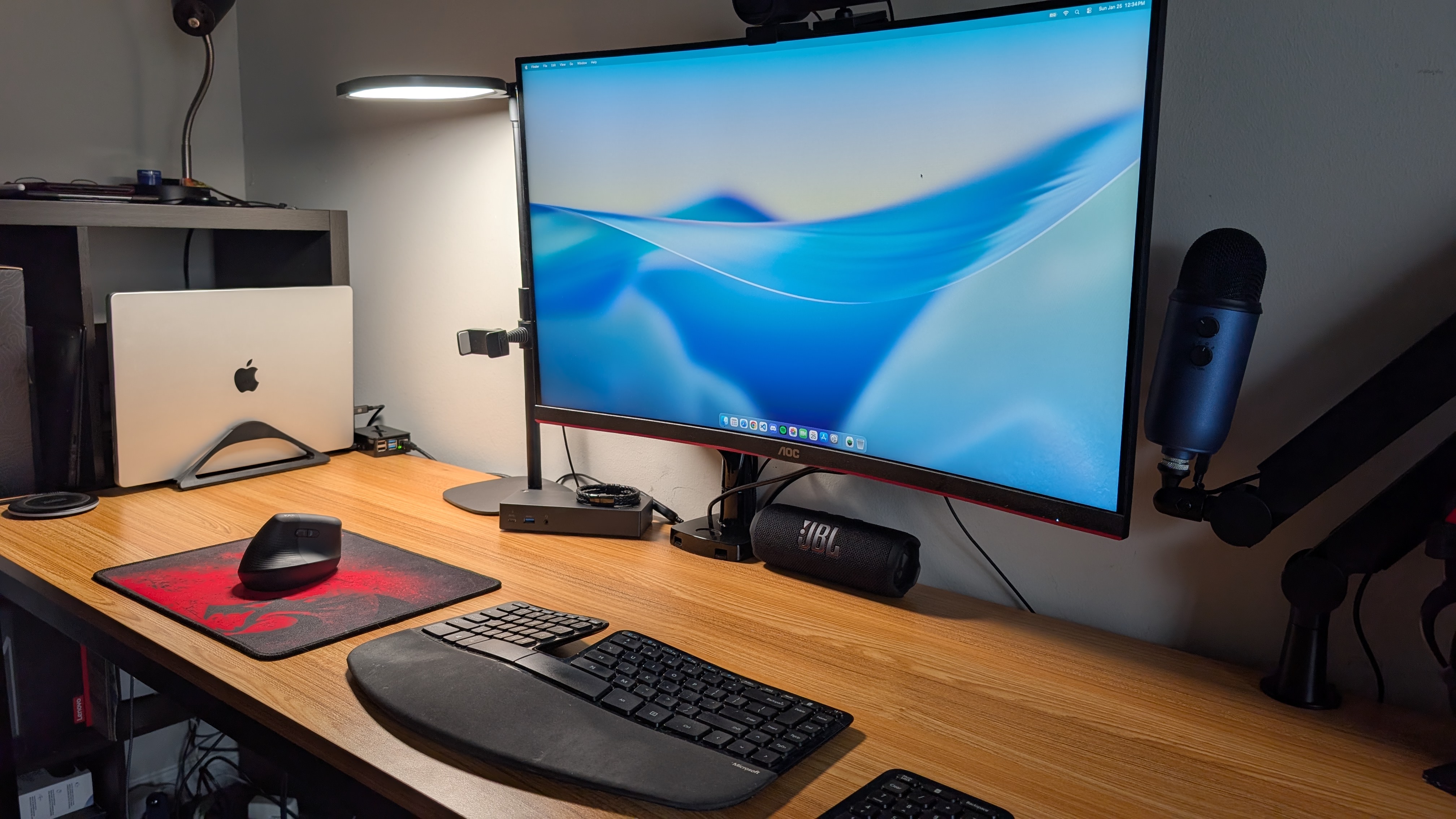
The glaring omission is USB-A. While the industry is moving on, many of my peripherals still use the "legacy" plug, making my dongle investment a necessity. On the bright side, the HDMI port is a welcome addition, and I was pleasantly surprised to find that the MacBook works flawlessly with my ThinkPad USB-C dock. It powers my 32-inch 2K monitor, mouse, and keyboard, and even charges the laptop without any compatibility hiccups.
Trackpad
This is an area where Apple remains untouchable. The haptic feedback—which simulates a physical click anywhere on the glass—is brilliant. The gestures (three-finger swipes for app switching and Mission Control) are already becoming second nature.
I do have two gripes, though. First is the size; I have smaller hands and find the surface area excessive. It could be 2/3 the size and still be excellent. Second is the lack of a traditional "secondary click" zone. Coming from the PC/Linux world, I am used to the bottom-right corner acting as a right-click. On MacOS, it's a two-finger tap or nothing. It's a muscle memory hurdle I'm still clearing.
MacOS: The Learning Curve
Returning to MacOS has been an exercise in re-learning my workflow. As a Linux and Windows user, I'm used to menus being attached to windows, buttons being in the top-right, and the 'X' actually closing the program rather than just hiding the window.
The Pros:
- No Bloat: Like Linux, the OS feels clean. There are no baked-in ads or intrusive "suggestions" for services I didn't ask for.
- Ecosystem: 'Sidecar' with my 11-inch iPad Air works seamlessly, even if I haven't fully integrated it into my daily routine yet.
- Efficiency: Full-screen apps combined with gesture switching have been an immediate productivity boost. Swapping between VS Code, a browser, and my documentation feels incredibly fluid.
The Cons:
- Finder: Honestly, Finder is terrible. It fails to arrange icons in a grid by default, and the "View Options" menu is a labyrinth that doesn't always seem to respect my choices.
- Window Management: The lack of native window snapping (Super + Arrows) is infuriating. I know third-party apps fix this, but evaluating the OS as-is, it's a massive oversight. It feels like MacOS wasn't originally built for the type of heavy-duty window tiling that Linux and Windows users take for granted.
Performance & Portability
The M1 Pro remains a beast. Everything is snappy, and the internal storage speeds make moving massive photo libraries to my external NVMe SSD a breeze. But the most impressive feat is the battery life. Even as a used device, I can take this to a coffee shop without a charger and feel zero "range anxiety"—a first for my laptop experience.
Where it loses points is "lapability." The 16-inch Pro is a heavy machine. Compared to the featherweight X1 Carbon, it's much harder to balance on your legs if you're sitting in a weird position on the couch. It's a workstation, not a netbook, and you feel that weight every time you move it.
Final Verdict
The M1 Pro MacBook Pro is a masterclass in hardware. Apple's silicon is fantastic even years after launch, and this machine has easily pushed my need for a new computer back another three or four years.
Am I an Apple convert? Not quite. But am I warmer to the ecosystem? Definitely. I still have some use cases to test—specifically video editing—but for now, I'm impressed. The OS hurdles are mostly just "different," not necessarily "broken," and the hardware quality is undeniable.